728x90
Git Repository
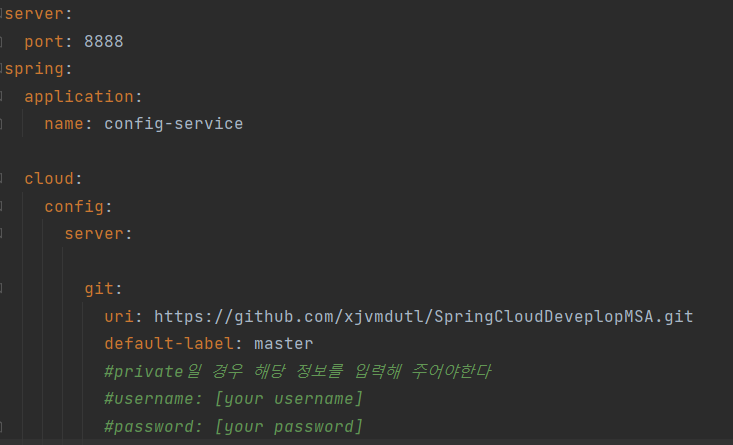
git에 등록되어있는 uri로 yml정보 읽어 오기 - private로 git을 만들었을 경우 username, password를 적어 주어야 한다.
Native File Repository
-
server: port: 8888 spring: application: name: config-service profiles: active: native cloud: config: server: native: search-locations: file:///${user.home}/native-file-repo git: uri: https://github.com/xjvmdutl/SpringCloudDeveplopMSA.git default-label: master #private일 경우 해당 정보를 입력해 주어야한다 #username: [your username] #password: [your password] - 이제 File디렉토리에 저장된 profile을 읽어서 설정할 수 있다.

728x90
'Spring Cloud로 개발하는 MSA > Configuration Service' 카테고리의 다른 글
| ch04. Profiles을 사용한 Configuration 적용 (0) | 2022.02.03 |
|---|---|
| ch03. Spring Cloud Gateway에서 Spring Cloud Config 연동 (0) | 2022.02.03 |
| ch02. Users Microservice에서 Spring Cloud Config 연동 (0) | 2022.02.03 |
| ch01. Local Git Repository (0) | 2022.02.03 |