728x90
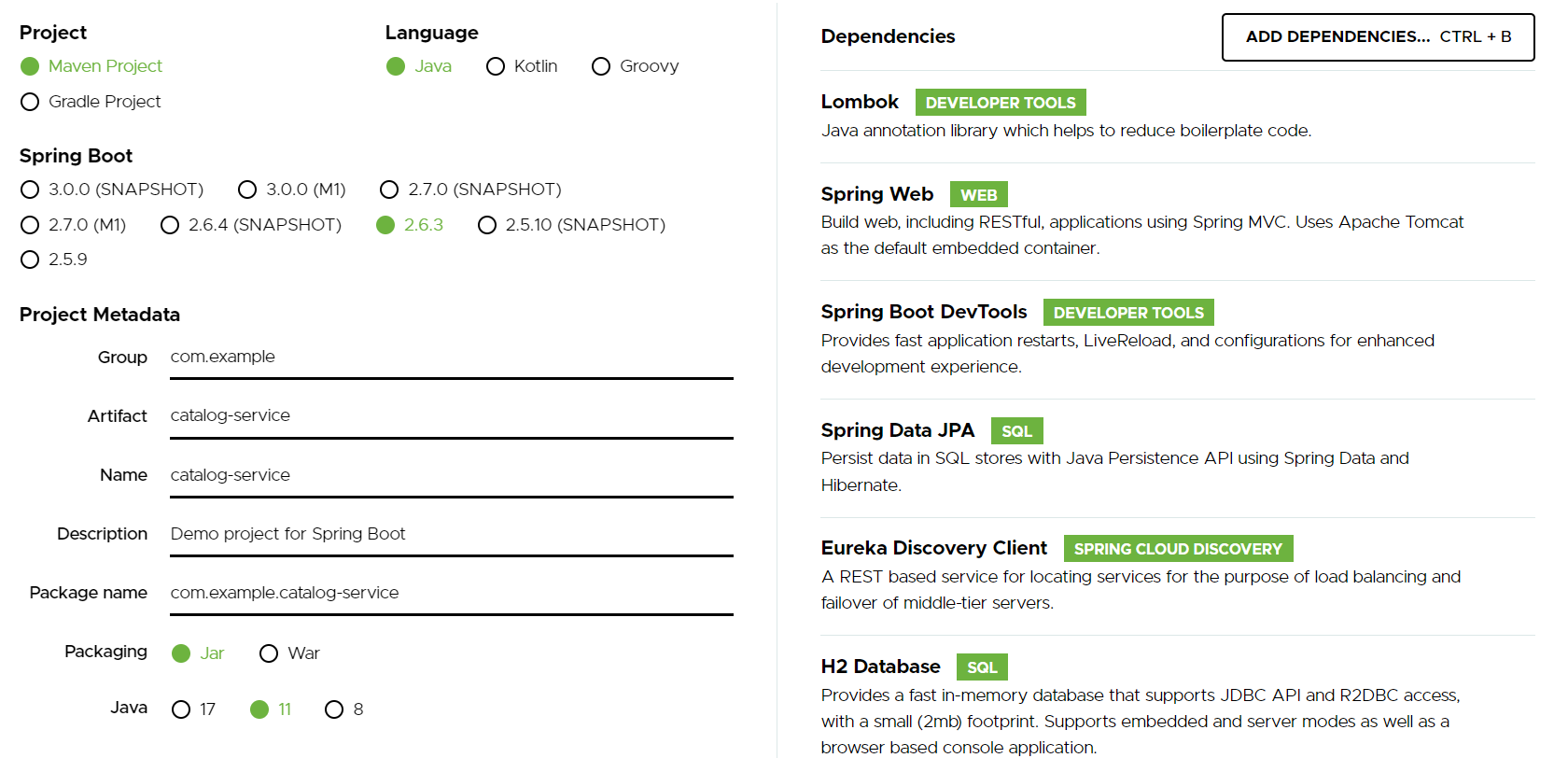
- ModelMapper 추가

modelmapper
- application.yml
-
server:
  port: 0
spring:
  application:
    name: catalog-service
  h2:
    console:
      enabled: true
      settings:
        web-allow-others: true
      path: /h2-console
  jpa:
    defer-datasource-initialization: true
    hibernate:
      ddl-auto: create-drop
    show-sql: true
    generate: true
  datasource:
    driver-class-name: org.h2.Driver
    url: jdbc:h2:mem:testdb
    username: sa
eureka:
  instance:
    instance-id: ${spring.application.name}:${spring.application.instance_id:${random.value}}
  client:
    register-with-eureka: true
    fetch-registry: true
    service-url:
      defaultZone: http://127.0.0.1:8761/eureka
logging:
  level:
    com.example.catalogservice: Debug
-
- Entity 생성하기
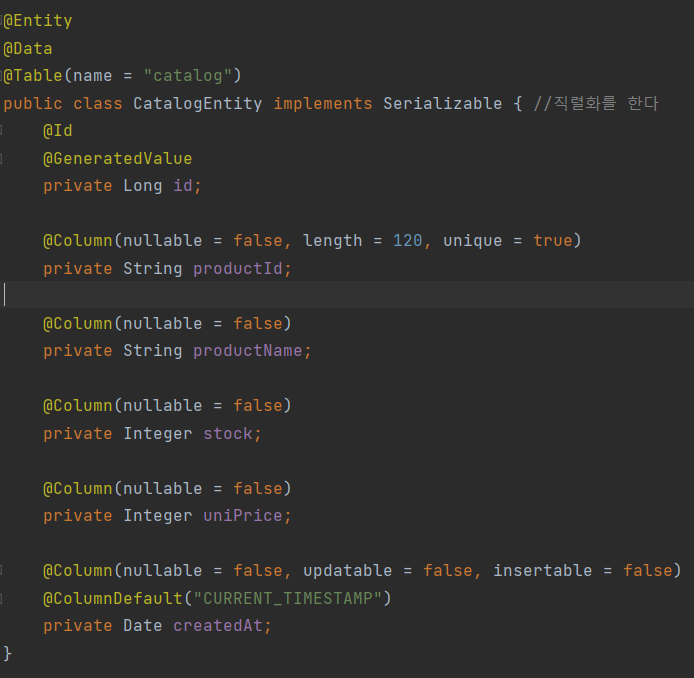
catalog Entity
- Repository 생성하기

CatalogRepository
- Dto 생성하기
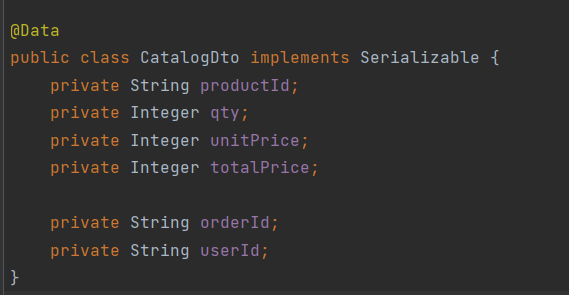
catalogDto
- ResponseCatalog
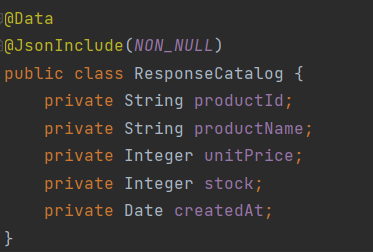
출력되는 Catalog 데이터
- Service 구현하기

인터페이스로 서비스 생성 
service 인터페이스 구현하기
- Controller 구현하기
-
@RestController
@RequestMapping("/catalog-service")
@RequiredArgsConstructor
public class CatalogController {
    private final Environment env;
    private final CatalogService catalogService;


    @GetMapping("/heath_check")
    public String status(){
        return String.format("It's Working in Catalog Service on PORT %s", env.getProperty("local.server.port"));
    }

    @GetMapping("/catalogs")
    public ResponseEntity<List<ResponseCatalog>> getCatalogs(){
        Iterable<CatalogEntity> catalogList = catalogService.getAllCatalogs();
        List<ResponseCatalog> result = new ArrayList<>();
        catalogList.forEach(v->{
            result.add(new ModelMapper().map(v, ResponseCatalog.class));
        });
        return ResponseEntity.status(HttpStatus.OK).body(result);
    }

}
-
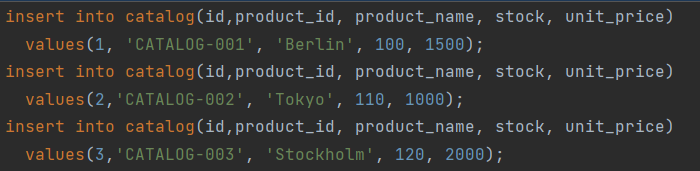
Data.sql을 이용하여 데이터를 넣어준다
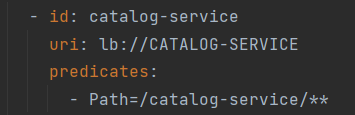
GateWay에 MSA 등록하기
728x90
'Spring Cloud로 개발하는 MSA > Catalogs and Orders Microservice' 카테고리의 다른 글
| ch04. Orders Microservice - 기능 구현 (0) | 2022.02.01 |
|---|---|
| ch02. Users Microservice - 사용자 조회 구현 (0) | 2022.02.01 |
| ch01. Users Microservice와 Spring Cloud Gateway 연동 (0) | 2022.02.01 |